Workspace Settings
Your workspace settings control how your organization appears in Mentora and who can access it.
Required Role: Admin or Super Admin
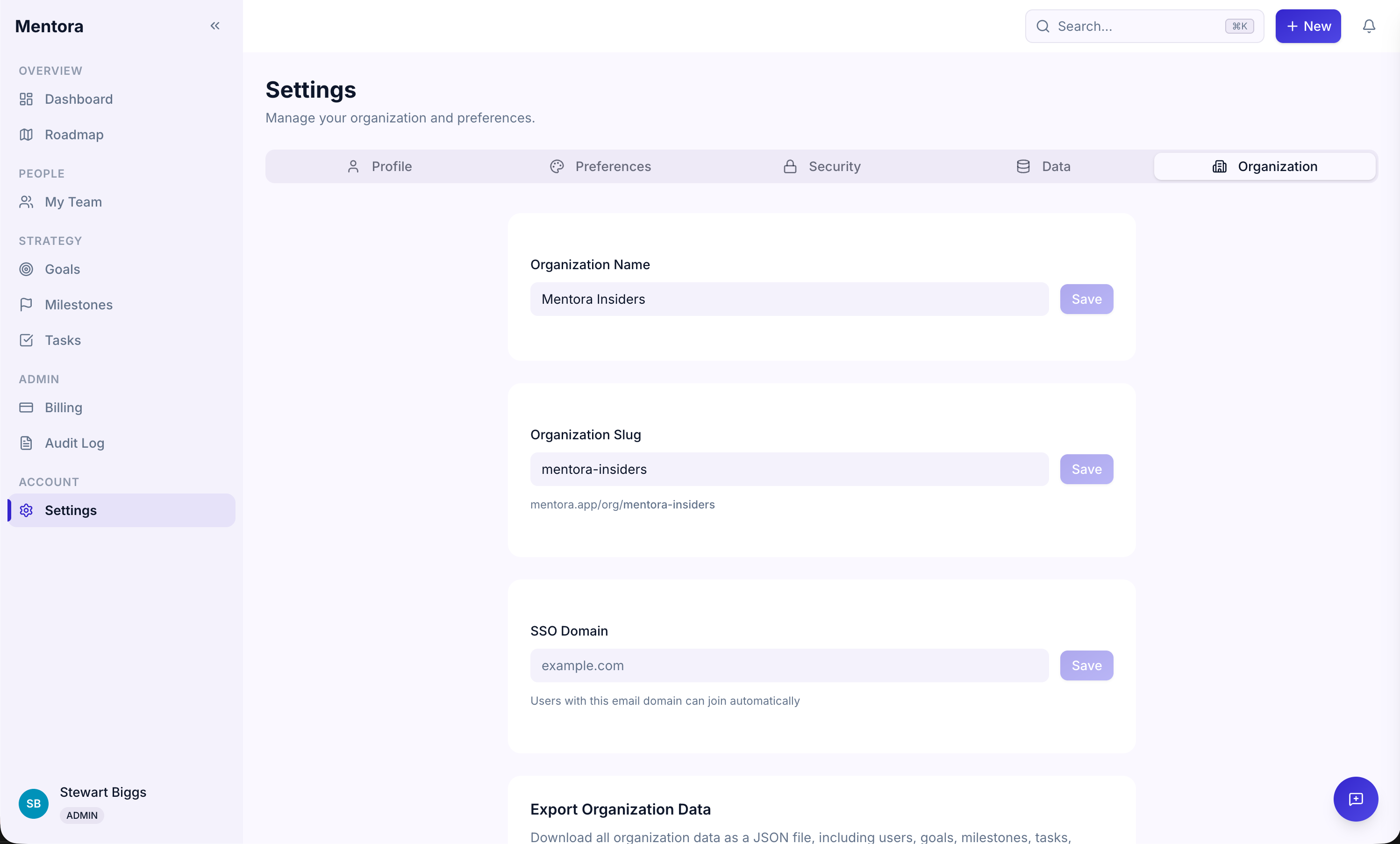
Accessing Workspace Settings
- Go to Settings in the sidebar
- Select the Workspace tab
- You'll see all workspace configuration options
Settings Overview
Organization Name
The name of your company or team in Mentora.
To change it:
- Click the name field
- Enter your new name
- Click Save
This name appears in email invitations and in the sidebar.
Organization Slug
Your unique identifier in Mentora. This is used in URLs and to identify your workspace.
Note: This is set when you create your account and cannot be changed. Contact support if you need to change it.
Organization Domain
Your company's domain (e.g., acme.com). This is optional and used for organizational reference.
To set it:
- Enter your domain
- Click Save
Logo
Upload your company logo to personalize your workspace.
To upload a logo:
- Click Upload Logo
- Select an image file (PNG, JPG, or SVG)
- The logo will appear in the sidebar and workspace header
Personal Settings
You can also update your personal profile:
- Name — Your full name
- Email — Your login email (you can change this if needed)
- Password — Change your password anytime
- Profile Photo — Upload a photo
Billing Settings
Your subscription, seat count, and billing information are managed in Billing & Subscription, not here.
Troubleshooting
I can't change the organization name
You must be an Admin or Super Admin. Check your role in Roles & Permissions.
The logo isn't showing up
Make sure the file is in PNG, JPG, or SVG format and is less than 5MB. Try uploading again.
I want to change my domain
You can enter your domain in the Organization Domain field. Contact support if you need to change it after it's been set.