Team Management
Manage all the people in your workspace: invite new members, assign roles, change managers, and deactivate users.
Required Role: Manager or Admin
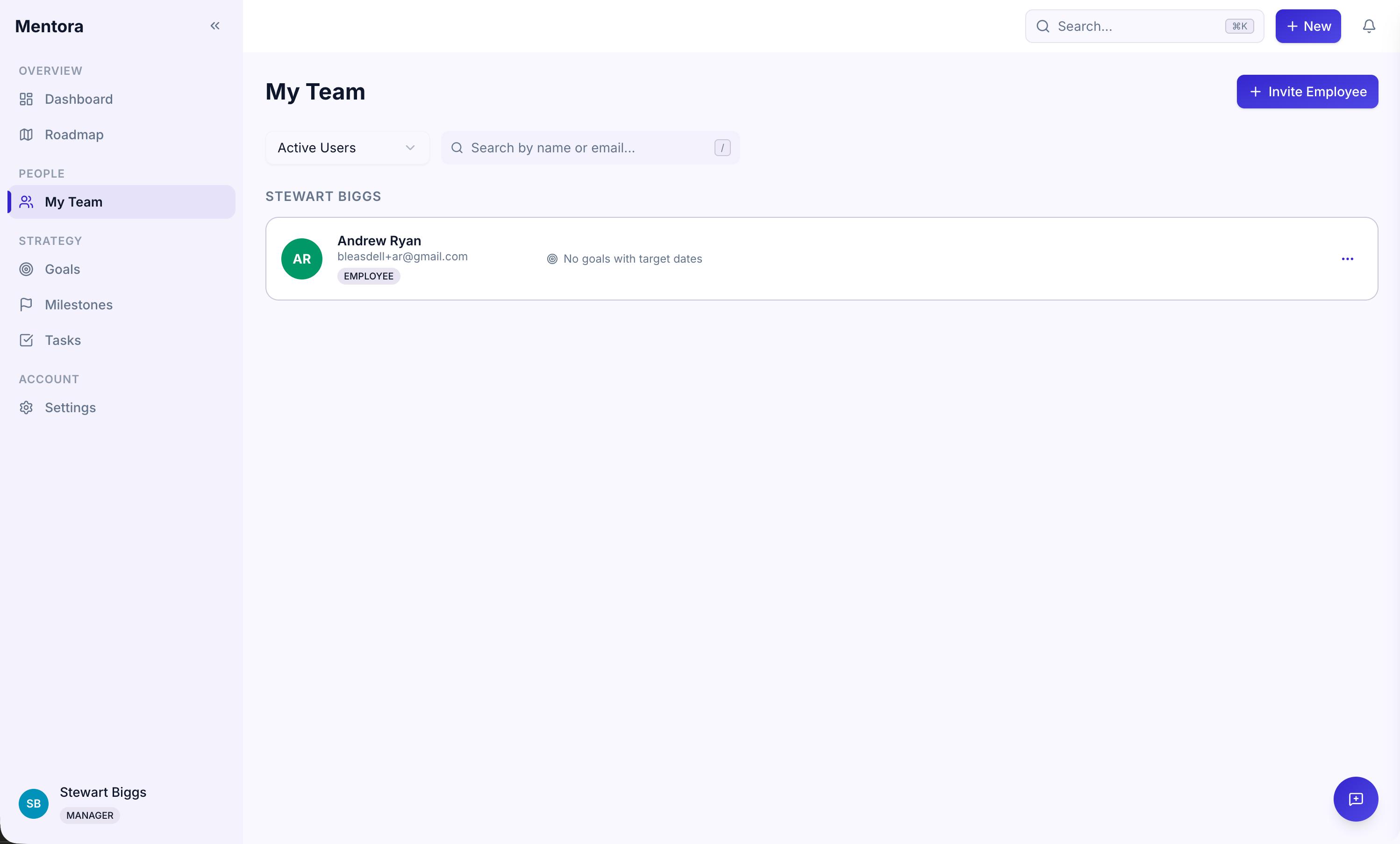
Accessing Team Management
- Go to My Team in the sidebar (or the Team icon)
- You'll see all team members in your workspace
Inviting Team Members
See Inviting Your First Team for step-by-step instructions.
Managing Roles
Once someone is in your workspace, you can change their role:
To change a role:
- Click the team member's name or row
- Find the Role field
- Select a new role: Employee, Manager, or Admin
- Click Save
The change takes effect immediately.
See Roles & Permissions for details on what each role can do.
Changing Manager Assignments
When someone joins your workspace, they may be assigned to a manager. You can change this:
To reassign a manager:
- Click the team member's name
- Find the Manager field
- Select a new manager from the dropdown
- Click Save
See Change an Employee's Manager for more context and best practices.
Viewing Team Structure
The Team page shows your organizational structure:
- Direct reports are listed under their manager
- Filtering by manager or role helps you see specific groups
- Search lets you find someone by name or email
Deactivating Users
When someone leaves your organization, you can deactivate their account:
To deactivate a user:
- Click the team member's name
- Click Deactivate Account
- Confirm the action
What happens:
- Their account becomes inactive
- They can no longer log in
- Their data (goals, milestones, tasks) is preserved in the audit log
- You can reactivate them later if needed
Reactivating Users
If you deactivated someone by mistake, you can reactivate them:
- Find the deactivated user in the Team list (they may be in a separate "Inactive" section)
- Click Reactivate Account
- They can log back in immediately
Resending Invitations
If someone didn't receive their invitation email:
- Find them in the Team list
- Click Resend Invitation
- They'll receive a new invitation email with the acceptance link
Troubleshooting
I can't see the Team page
You must be a Manager or Admin. Check your role in Roles & Permissions.
I invited someone but they're not on the team yet
They haven't accepted their invitation. The email includes a link they need to click to create their account.
I want to change someone's manager
See Change an Employee's Manager for best practices.
Can I delete someone instead of deactivating them?
No. Deactivation preserves their data and audit trail. Deletion is not available; use deactivation instead.