SSO & Federated Login
Mentora supports federated login through Google and Microsoft Entra ID (Azure), allowing your team to sign in with their existing work accounts.
Required Role: Admin
Benefits of Federated Login
- Easier onboarding — Employees use accounts they already have
- Better security — Credentials are managed by Google or Microsoft
- Single sign-on — One login for multiple apps
- Automatic deprovisioning — When someone leaves, their federated account access is removed
Setting Up Google Login
Step 1: Go to Settings → Workspace → Authentication
Step 2: Find Google Login and click Enable
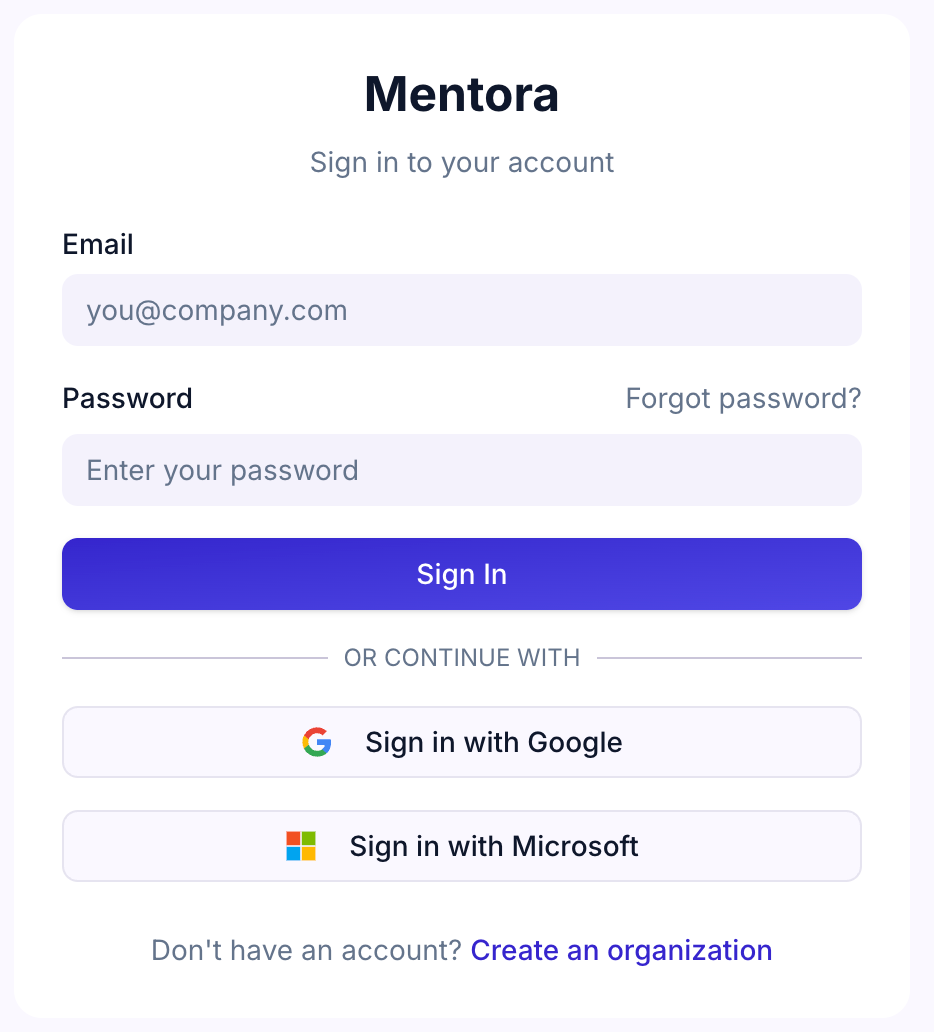
Step 3: Follow the on-screen instructions to authorize Google
Step 4: Once enabled, your team can sign in with Sign in with Google on the login page
Setting Up Microsoft Login
Step 1: Go to Settings → Workspace → Authentication
Step 2: Find Microsoft Login and click Enable
Step 3: Follow the on-screen instructions to authorize Microsoft Entra ID
Step 4: Once enabled, your team can sign in with Sign in with Microsoft on the login page
How It Works
When someone signs in with Google or Microsoft:
- They click the Sign in with Google or Sign in with Microsoft button
- They're redirected to Google or Microsoft to authenticate
- Google or Microsoft confirms their identity to Mentora
- They're signed into Mentora automatically
- If it's their first time, an account is created for them
What Email Is Used?
The email from your Google or Microsoft account is used as their Mentora email. They'll use this for:
- Receiving notifications
- Being identified in the system
- Communications from Mentora
Disabling Federated Login
If you want to turn off Google or Microsoft login:
- Go to Settings → Workspace → Authentication
- Click Disable next to the provider you want to turn off
- Existing users can still use password-based login (if they set one up)
Troubleshooting
Someone signed in with Google but their email doesn't match their workspace email
This can happen if they have multiple Google accounts. Ask them to sign in with the Google account associated with your organization.
Microsoft login isn't working
Make sure your organization is using Azure Entra ID (formerly Azure AD). Contact your IT department if you're not sure.
Can I require federated login?
Not yet. You can enable both federated login and email/password login. Eventually, Mentora will allow you to require one method only. For now, contact support if you want to restrict login methods.
Someone signed up with email/password but wants to switch to Google
They can contact support to link their accounts, or they can create a new account using Google.
Security Considerations
- Federated login is more secure than password-based login because Google and Microsoft handle authentication
- If someone leaves your organization, their Google or Microsoft account will be deprovisioned, automatically ending their access
- SSO reduces the need to manage passwords and centralizes access control