Log In to Mentora
Logging into Mentora is simple. Choose the method you used when you signed up.
Log In with Email & Password
Step 1: Go to https://app.getmentora.app
You'll see the login page.
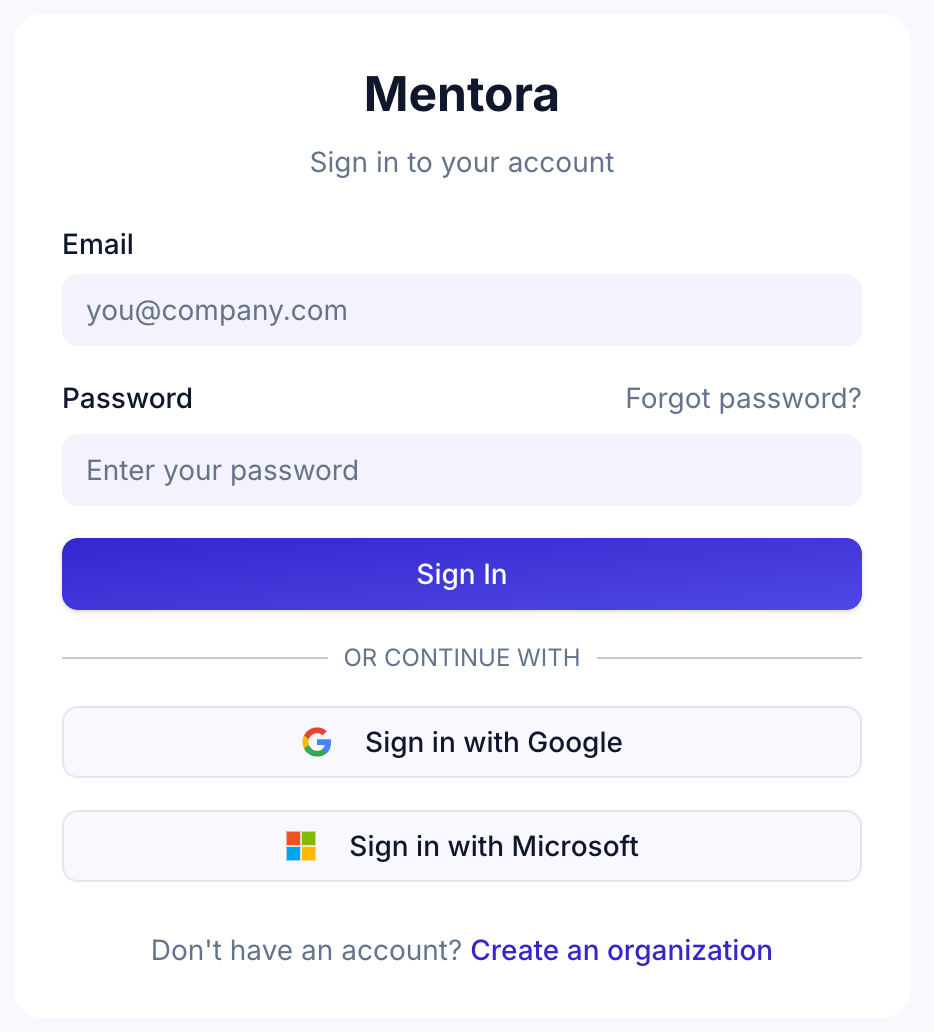
Step 2: Enter your email address and password
Step 3: Click Log In
You'll be taken to your dashboard.
Log In with Google
Step 1: Go to https://app.getmentora.app
Step 2: Click Sign in with Google
Step 3: Sign in with your Google account when prompted
You'll be taken to your dashboard.
Log In with Microsoft
Step 1: Go to https://app.getmentora.app
Step 2: Click Sign in with Microsoft
Step 3: Sign in with your Microsoft account or Azure Entra ID when prompted
You'll be taken to your dashboard.
Forgot Your Password?
If you signed up with email and password and can't remember it:
Step 1: On the login page, click Forgot password?
Step 2: Enter your email address
Step 3: Check your email for a password reset link (check your spam folder if you don't see it)
Step 4: Click the link in the email
Step 5: Enter your new password and click Reset Password
Step 6: Log in with your new password
Note: If you signed up with Google or Microsoft, you don't have a Mentora password — your login is managed by them. You can't reset a password you don't have. If you want to set up password-based login as an alternative, contact support.
Session Timeout
For security, Mentora automatically logs you out after a period of inactivity. The timeout is set by your organization's administrator (see Security & Compliance).
If you're logged out, simply log back in using the steps above.
Troubleshooting
I'm seeing "Account not found"
Check that you're entering the correct email address. If you signed up with Google or Microsoft, make sure you're using the same email address associated with that account.
I'm seeing "Wrong password"
Double-check that you're typing your password correctly (passwords are case-sensitive). If you're not sure, use the Forgot password? option above.
I signed up with Google/Microsoft but now login asks for a password
Try clicking the Google or Microsoft button instead of entering a password. If that doesn't work, contact support.
I'm having trouble logging in
See Can't Log In for more help.