Tasks
Tasks are concrete, actionable items that move your milestones forward. They're the day-to-day work that matters.
Before You Begin
Creating a Task
Step 1: Go to a milestone detail view
Step 2: Click Add Task
Step 3: Fill in the details:
- Title — What you need to do (e.g., "Schedule kickoff meeting")
- Description — Optional. Context and notes
- Priority — Low, Medium, High, or Critical
- Start Date — When you'll start (optional)
- Due Date — When it needs to be done
- Status — TODO, In Progress, In Review, or Done
Step 4: Click Create
Task Statuses
| Status | Meaning |
|---|---|
| TODO | Not started |
| In Progress | You're working on it |
| In Review | Someone is reviewing your work |
| Done | Complete |
Task Priorities
Priorities help you focus:
| Priority | Meaning |
|---|---|
| Low | Nice to have, not urgent |
| Medium | Important, standard priority |
| High | Urgent, blocks progress |
| Critical | Blocking, must be done ASAP |
Viewing Tasks
Step 1: Go to Tasks in the sidebar
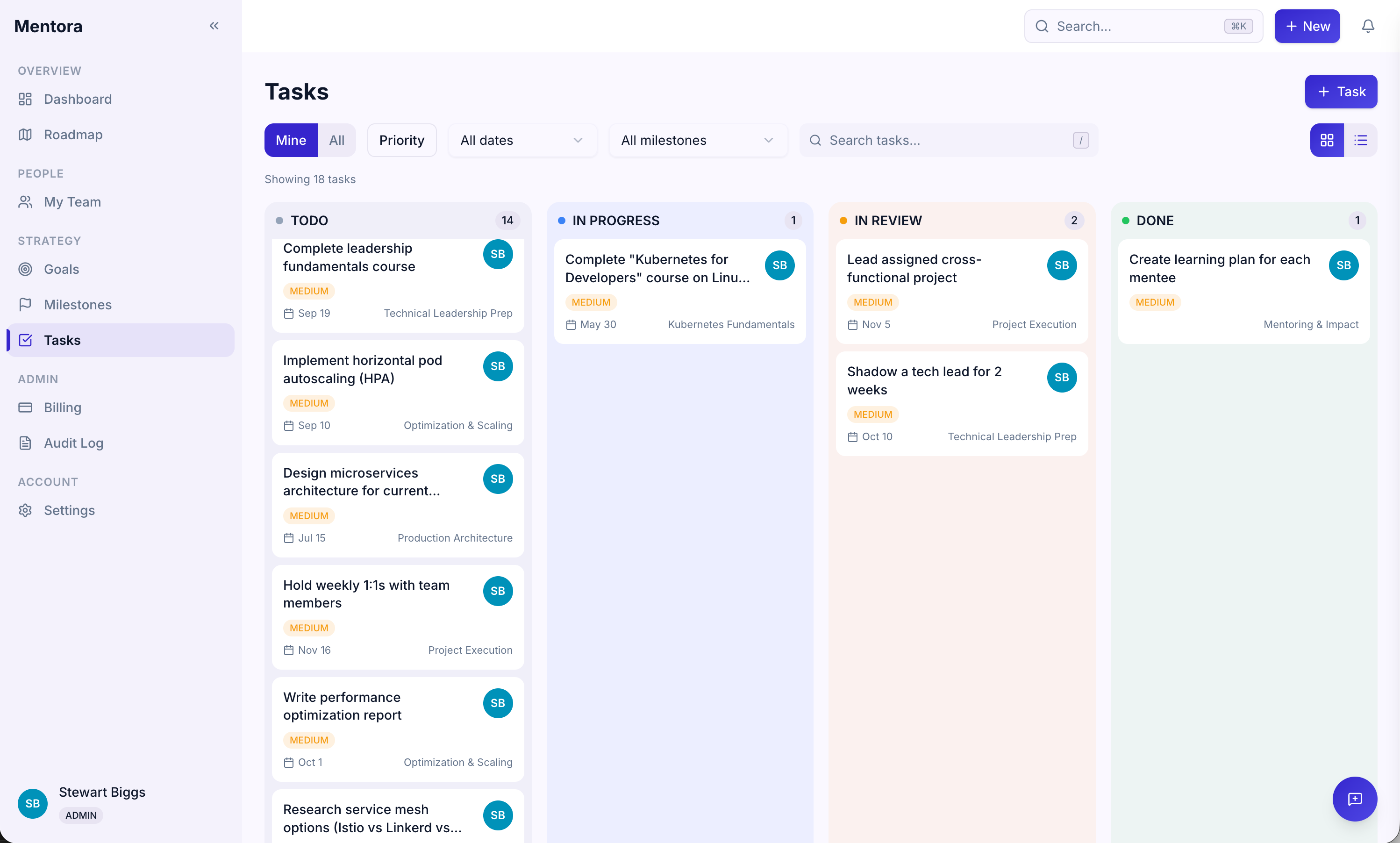
You can:
- Search by task name
- Filter by milestone, status, priority, or assignee
- Sort by due date, priority, or status
- View only your tasks or team tasks (managers)
Task Details
Click on a task to see and edit:
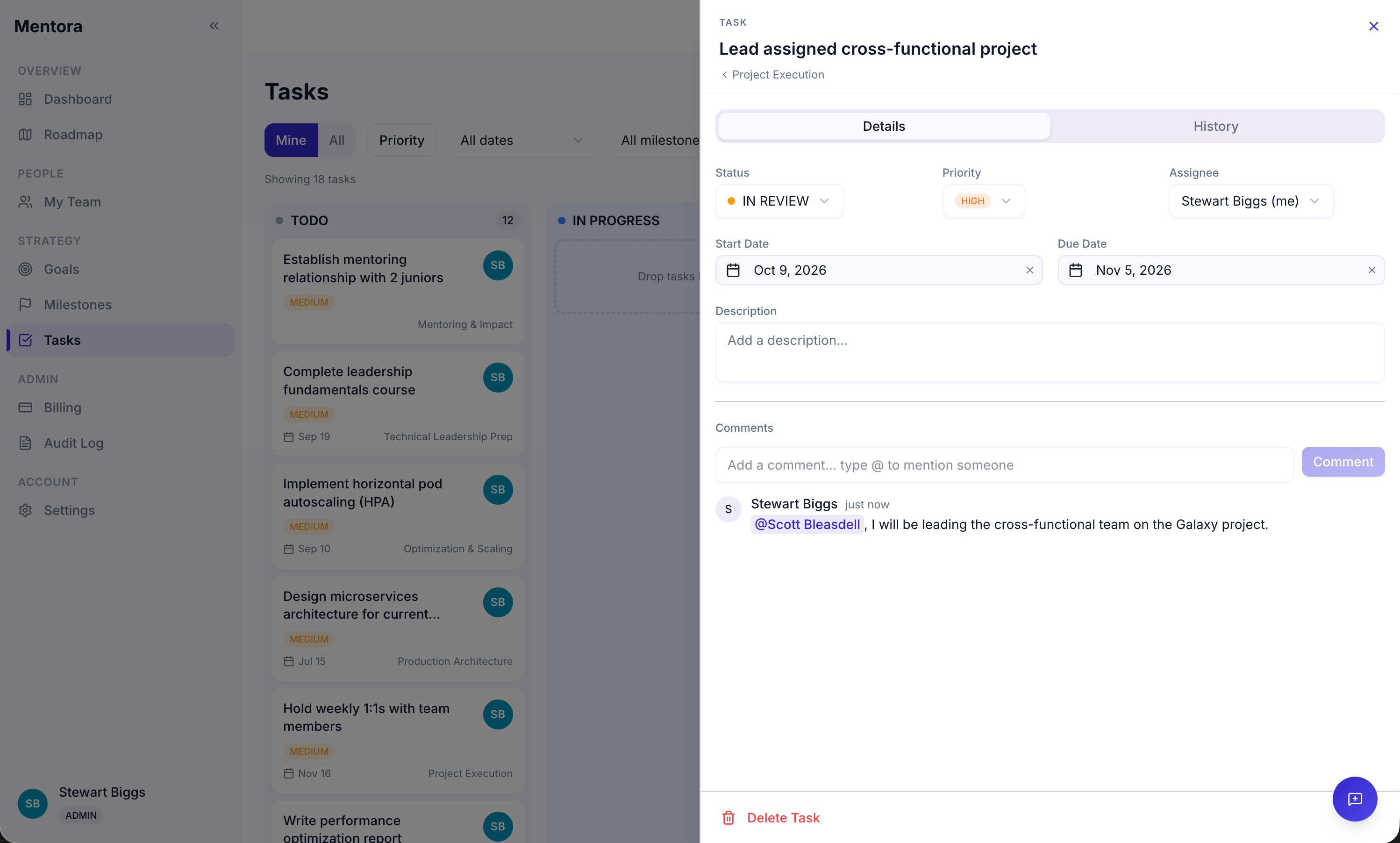
- Title, description, dates
- Priority and status
- Comments and feedback
- Due date and start date
Updating Task Status
As you work, update the status:
- Click the task
- Change the Status field (TODO → In Progress → In Review → Done)
- Click Save
When you mark a task as Done, your goal progress updates automatically.
Tips
- Tasks should be actionable — "Schedule meeting" is clearer than "work on project"
- Break milestones into 5–10 tasks — Too many creates decision paralysis; too few makes milestones too vague
- Use priority to focus — Mark the 2–3 most important tasks as High/Critical
- Update status daily — Keeping status current makes your progress visible to your manager
- Use comments for feedback — Ask for help or provide updates in comments
Troubleshooting
My goal progress isn't updating
Goal progress is based on completed tasks. Try refreshing the page (F5 or Cmd+R).
I have too many tasks
Consolidate or delete low-priority items. Focus on 5–10 per milestone.
How do I see all tasks for my team?
Go to Tasks and use the filter to see all team tasks (if you're a manager).
Can I assign a task to someone else?
Currently, tasks are assigned to the owner of the milestone/goal. Use comments to @mention someone for help.