Goals
Goals are the top-level career objectives you're working toward. They represent what you (or your team) wants to achieve.
Before You Begin
- You should have set your Career Vision first
- You need the Employee role or higher
- If you're a manager, you can create goals for your direct reports
Creating a Goal
Step 1: Go to Goals in the sidebar
Step 2: Click New Goal
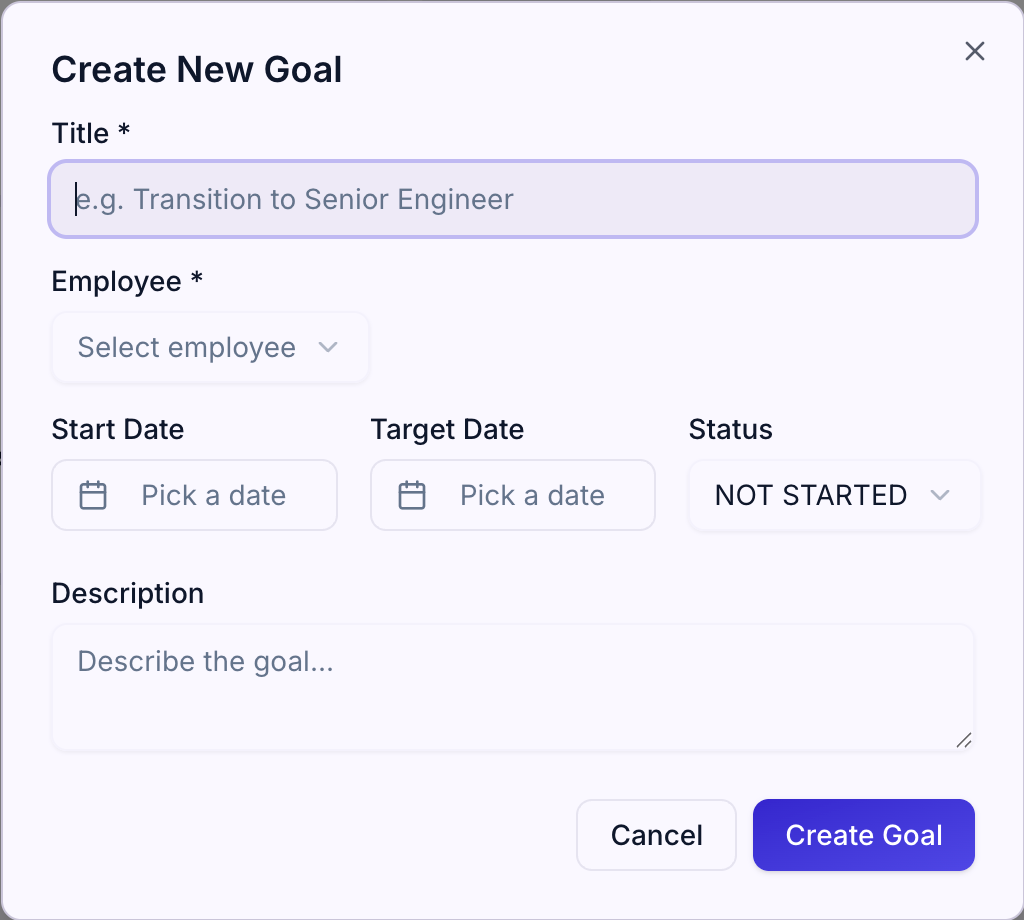
Step 3: Fill in the details:
- Title — A short, clear name for your goal (e.g., "Become a Tech Lead")
- Description — Optional. Add context about why this goal matters
- Start Date — When you're starting work on this goal
- Target Date — When you want to complete this goal
- Assigned to — (Managers only) Choose which team member this goal is for
Step 4: Click Create
Your goal starts with a status of Not Started.
Goal Statuses
Every goal has a status that reflects where it is in your journey:
| Status | Meaning |
|---|---|
| Not Started | You haven't begun work yet |
| In Progress | You're actively working on this goal |
| On Track | In progress and on schedule |
| At Risk | In progress but may not complete on time |
| Achieved | Goal is complete |
Viewing Goals
Step 1: Go to Goals in the sidebar
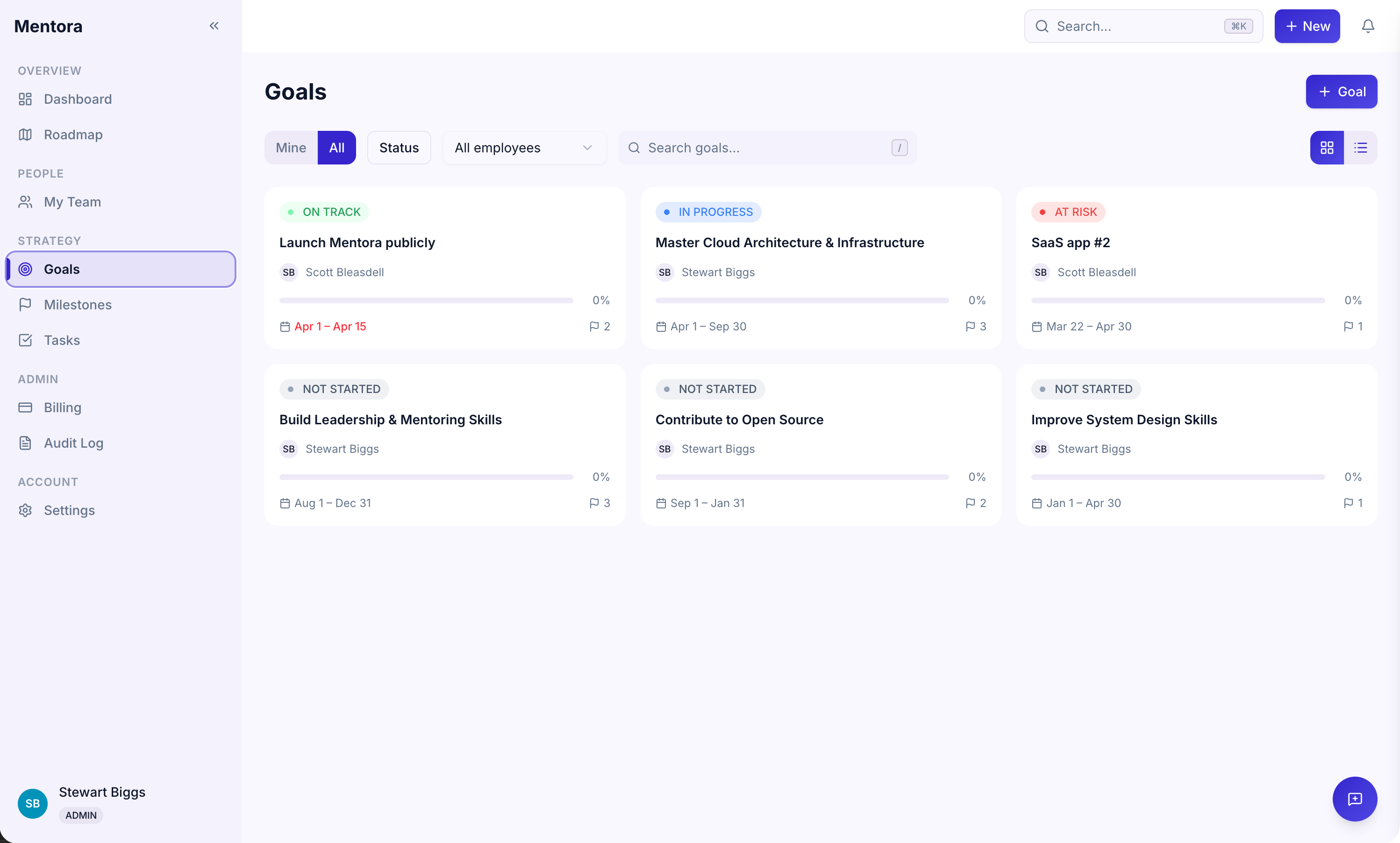
You can:
- Search for a goal by name
- Filter by status (Not Started, In Progress, On Track, etc.)
- Sort by date, name, or progress
Goal Details
Click on any goal to see its detail view:
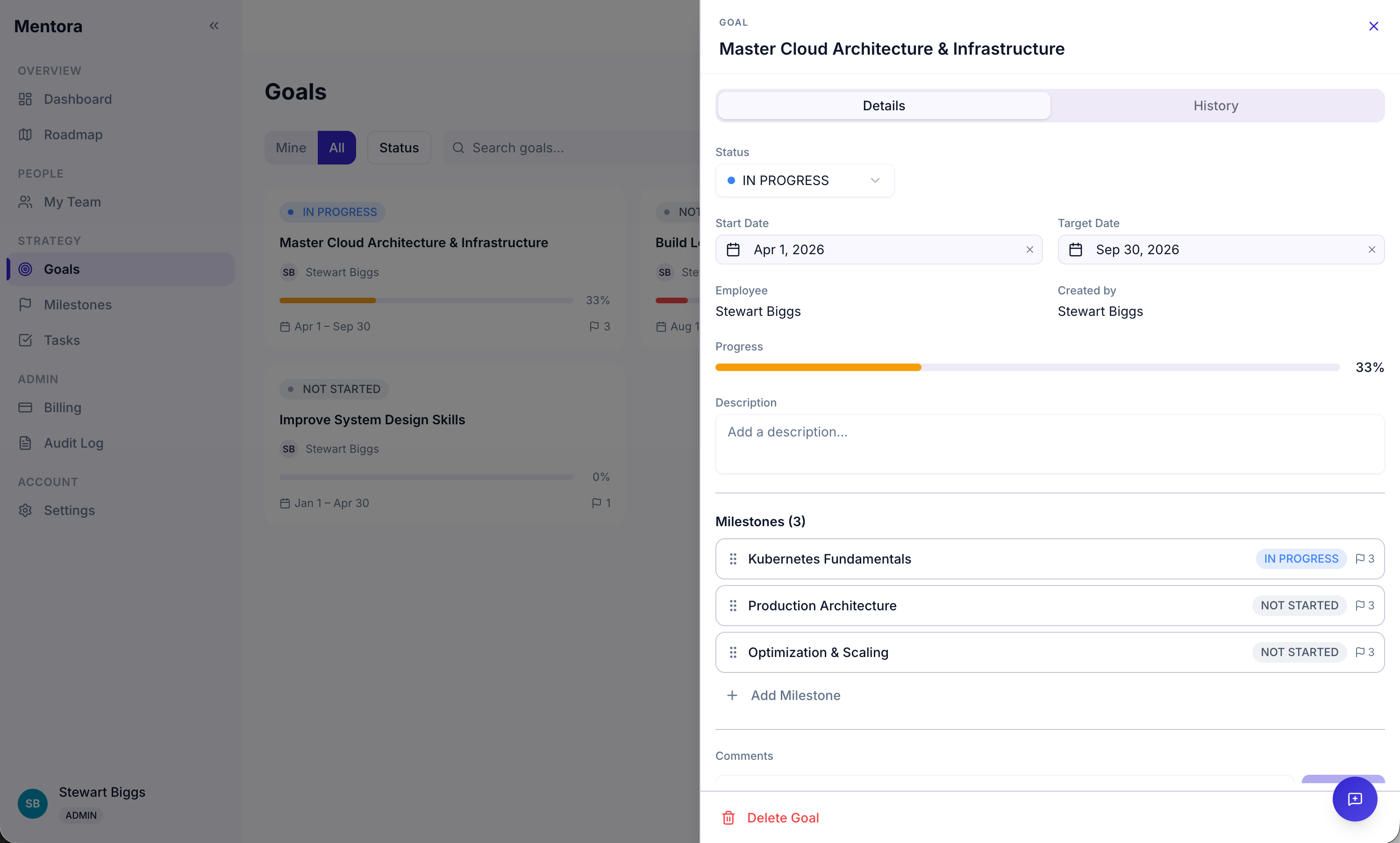
Here you can:
- Read the description and understand the context
- See all milestones for this goal
- See all tasks related to this goal
- Read comments and give/receive feedback
- Change the status as you progress
- Edit the goal title, description, or dates
Updating Goal Status
As you progress toward a goal, update its status:
Step 1: Click on the goal to open its detail view
Step 2: Find the Status field
Step 3: Click and select a new status
Step 4: Click Save
Goal Progress
Progress is calculated automatically based on how many of your tasks are complete:
- 0% = No tasks complete
- 50% = Half your tasks are done
- 100% = All tasks are done
You don't manually set the progress — it updates as you complete tasks.
Reordering Goals
You can set the priority of your goals by reordering them:
On the Goals page:
- Click and hold a goal
- Drag it to a new position
- Release to reorder
Your most important goals can be at the top.
Deleting a Goal
If you need to remove a goal:
Step 1: Click the goal to open it
Step 2: Click Delete Goal
Step 3: Confirm the deletion
Warning: Deleting a goal also deletes all its milestones and tasks. This cannot be undone. Consider archiving instead if you might want to reference it later.
Tips
- Goals should be meaningful to you — They should connect to your career vision
- Give yourself enough time — A goal should take at least 1–3 months to achieve; shorter items are tasks
- Update status regularly — Status changes are a great conversation starter with your manager
- Break goals into milestones — Milestones keep you on track and accountable
Troubleshooting
I can't see goals for my team members
You must be a Manager or Admin. Check Roles & Permissions.
Can I see someone else's goals?
As a manager, you can see your direct reports' goals. As an employee, you can only see your own (unless shared with you via comments).
How do I archive a goal without deleting it?
Currently, you can't archive goals. If you want to keep the record, mark it as "Achieved" or change the status to something that indicates it's no longer active. Contact support for bulk archive options.
Progress shows 0% but I've completed tasks
Try refreshing the page (F5 or Cmd+R). Progress updates automatically, but may take a moment.