Dashboard
Your dashboard is your home in Mentora. It gives you a snapshot of your career development (if you're an employee) or your team's progress (if you're a manager).
Dashboard Layout
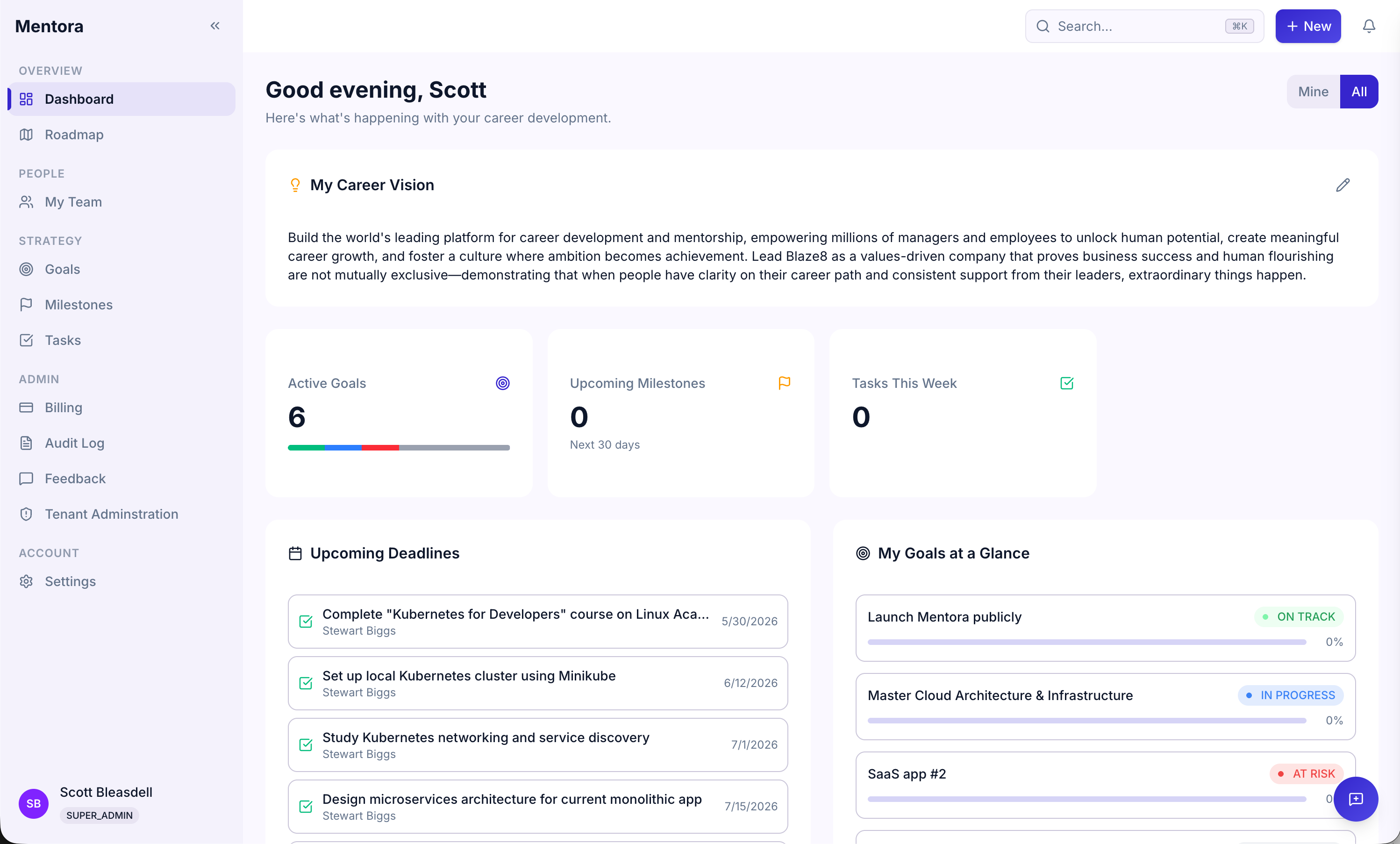
Career Vision
Your personal career vision statement anchors everything else. See Career Vision to learn how to set yours.
Stats
Quick numbers showing:
- Active Goals — Goals you're working on right now
- Milestones — Total milestones across all goals
- Tasks — Tasks you need to complete
These update automatically as you progress.
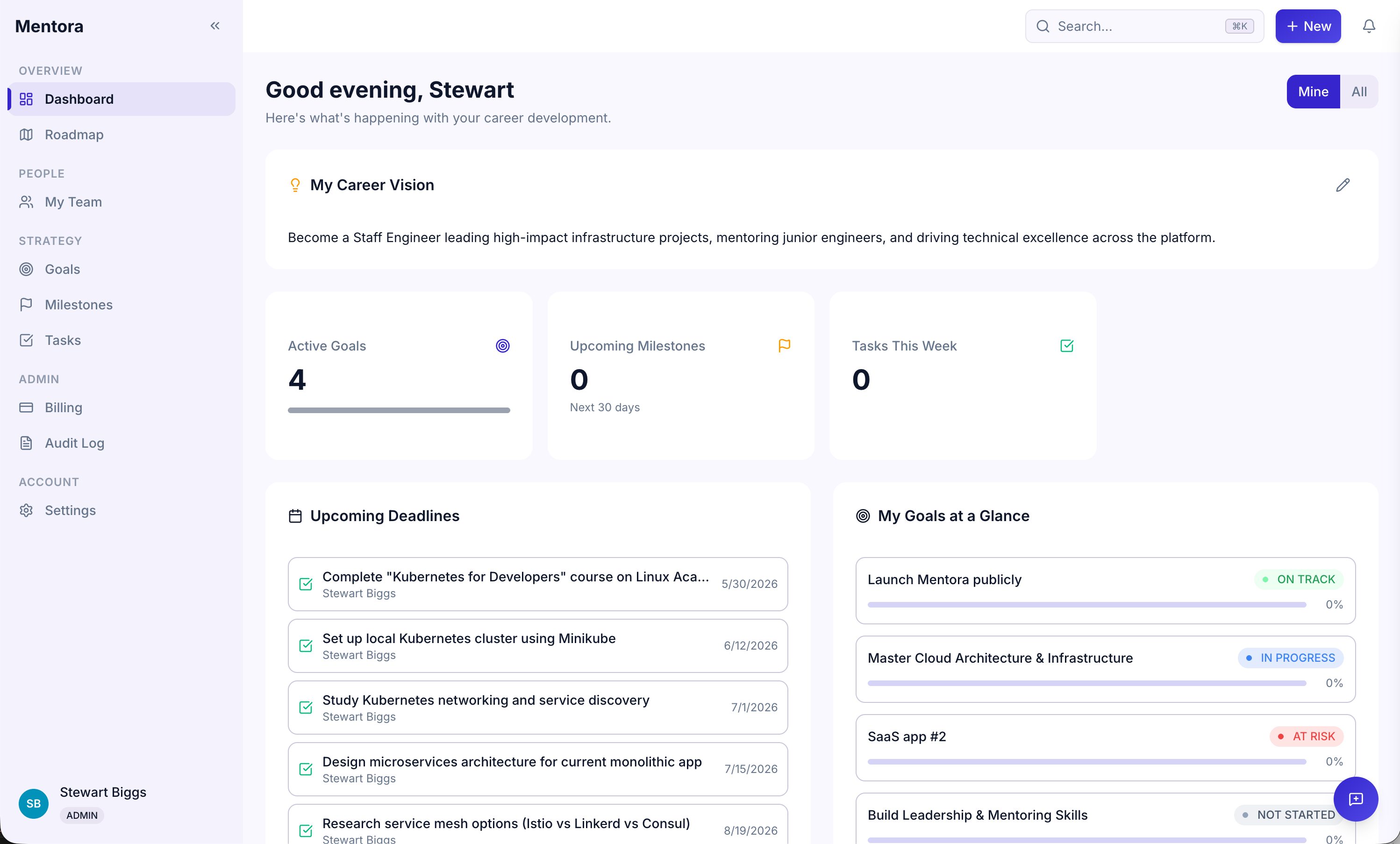
Upcoming Deadlines
See what's due soon:
- Milestones due in the next 30 days — Important checkpoints coming up
- Tasks due this week — Work to focus on now
Click any item to view details.
Recent Activity
A feed of recent changes in your workspace:
- New goals and milestones created
- Status changes (when something moves to "In Progress" or "At Risk")
- Comments and feedback
- Team members who joined
This keeps you informed without requiring a meeting.
Team Overview (Managers Only)
If you're a manager, you'll see a panel for each of your direct reports:
- Their name and title
- Number of active goals
- Average goal progress
- Tasks due this week
Click on a team member to see more details about their progress.
Customizing Your Dashboard
Currently, the dashboard layout is fixed, but you can:
- Collapse sections by clicking the collapse arrow
- Filter recent activity by clicking filters at the top
- Toggle between personal and team view (managers only) using the scope toggle
Tips
- Check your dashboard daily — It takes 2 minutes and keeps you aligned
- Use upcoming deadlines as a focus list — Prioritize what's due soon
- Watch the activity feed — It's a conversation starter for 1:1s with your manager or team
Troubleshooting
My stats don't look right
Stats update in real time. If something seems off, try refreshing the page (F5 or Cmd+R).
I don't see a Team Overview panel
You must be a Manager or Admin to see this. Check your role in Roles & Permissions.
Where's the Roadmap?
The Roadmap view is coming soon. For now, check the Goals page for a full list view.