Audit Log
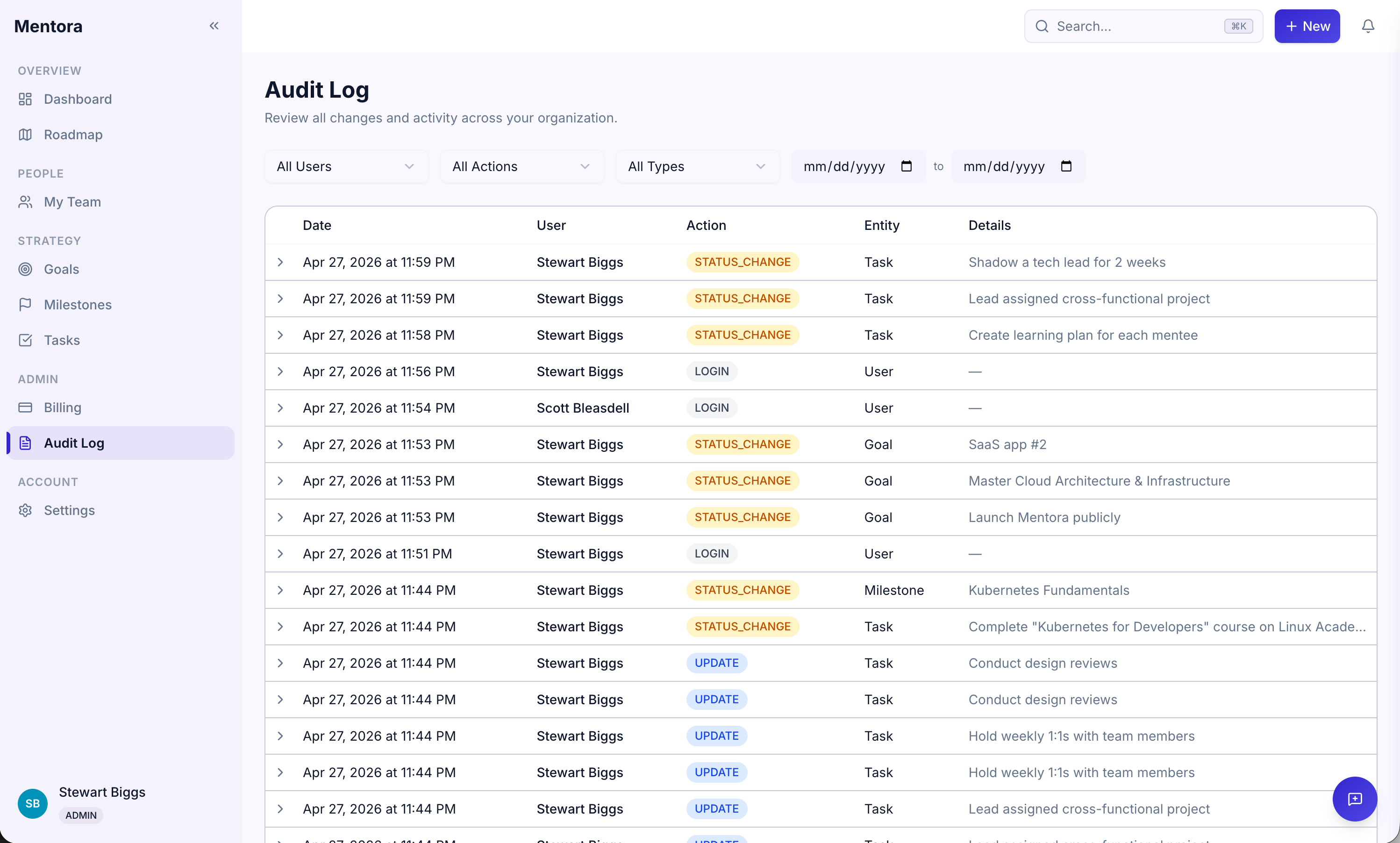
The Audit Log is a complete record of all activity in your workspace. Every change is logged with who made it, when, and what changed.
Required Role: Manager or Admin
Accessing the Audit Log
Step 1: Go to Audit Log in the sidebar (under Admin section)
You'll see all recent activity in your workspace.
What Gets Logged
The Audit Log records:
| Action | Example |
|---|---|
| CREATE | New goal, milestone, or task created |
| UPDATE | Title, description, date, or status changed |
| DELETE | Goal, milestone, or task deleted |
| STATUS_CHANGE | Goal or milestone status changed |
| ROLE_CHANGE | Someone promoted or demoted |
| LOGIN | Someone logged in |
Viewing Details
Each log entry shows:
- Action — What happened (Create, Update, Delete, etc.)
- User — Who made the change
- Date & Time — When it happened
- Item — What was affected (goal name, person's name, etc.)
- Details — (Click to expand) What specifically changed
Filtering the Log
You can filter by:
- Action type — CREATE, UPDATE, DELETE, STATUS_CHANGE, ROLE_CHANGE, LOGIN
- User — See activity from a specific person
- Date range — See activity during a time period
- Item — Search for activity related to a specific goal or person
Why the Audit Log Matters
The Audit Log is useful for:
- Compliance — Prove who made what change and when
- Investigations — Trace the history of a goal or team change
- Accountability — See who changed a goal's status or deleted a task
- Recovery — Understand what happened before a problem occurred
Log Retention
Your audit logs are kept for a period set by your Admin (default: 1 year). After that, old entries are archived.
To check your log retention period, go to Security & Compliance.
Tips
- Review regularly — Check the audit log weekly to spot unusual activity
- Use filters — Narrow down to relevant entries (e.g., "show all updates for this goal")
- Reference in conversations — "The status changed on March 15 at 2pm" helps settle disputes
Troubleshooting
I can't see the Audit Log
You must be a Manager or Admin. Check Roles & Permissions.
The log doesn't show very old activity
Audit logs are retained for a set period (default: 1 year). Older entries are archived. Contact your Admin to check the retention policy.
I want to see audit logs for a specific person
Use the filter to select that person. You'll see all actions they took.
Can I export the audit log?
Not yet, but you can screenshot or copy entries for documentation. Contact support if you need bulk export.